


Step-by-step guide on how to stake BAND on the Band Network using your Ledger Nano S.
Learn how to stake BAND, the native token of the Band Network, in this step-by-step guide. We are using the CosmoScan together with Ledger Nano S in this guide.
CosmoScan is a new public block explorer that is fully compatible with the latest version of the Cosmos-SDK to power the next generation of interoperable blockchain platforms.
At the moment of writing this article, CosmoScan supports connection to your wallet via Ledger.
This guide will focus on Staking BAND by using Ledger Nano S. We highly suggest using hardware wallets for your staking operations especially if you are holding a decent amount of BAND.
Staking your BAND via the CosmoScan with Ledger Nano S involves three main steps:
1. Installing the Cosmos App on Ledger Nano S
2. Accessing your wallet in Cosmoscan
3. Staking
Step 1: Installing the Cosmos App on Ledger Nano S
Make sure to install the Ledger Live before you get started. You can download the application in their website.
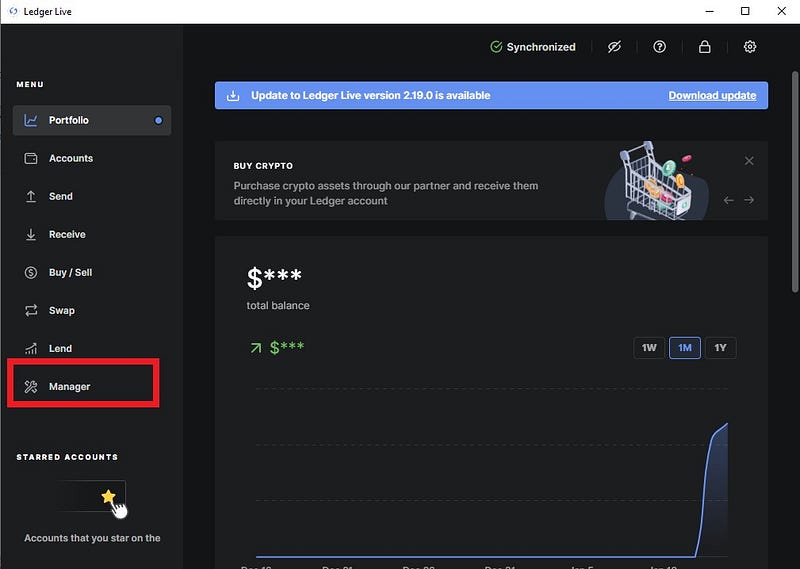
- Once you’ve successfully installed the application, open it. Input your password and go to “Manager”
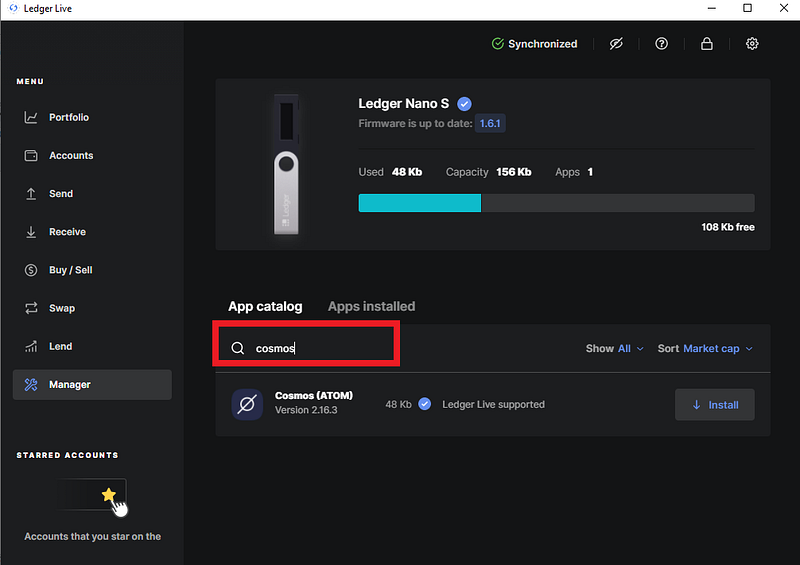
2. Once you’re in Manager, search “Cosmos” in the search bar.
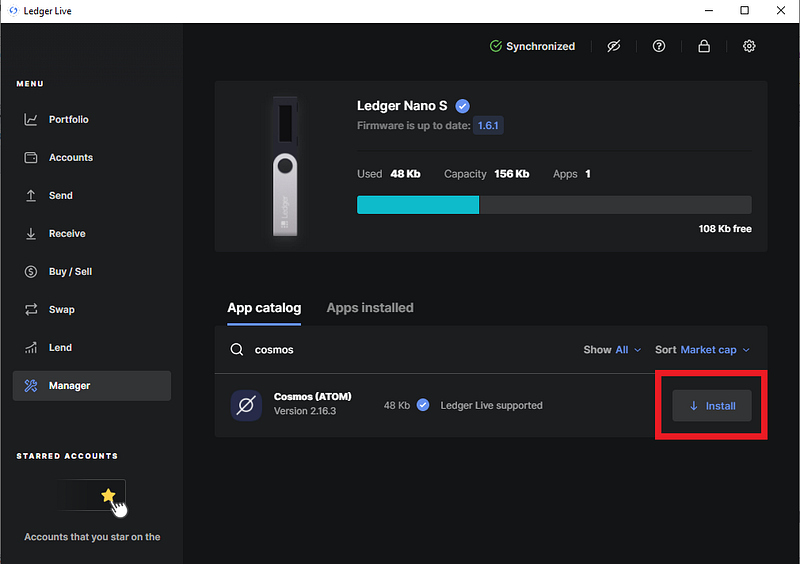
3. You should see Cosmos below then click “Install.”
4. Once it’s done installing, you should see “Installed.” If you see it, then you are ready for the next step.
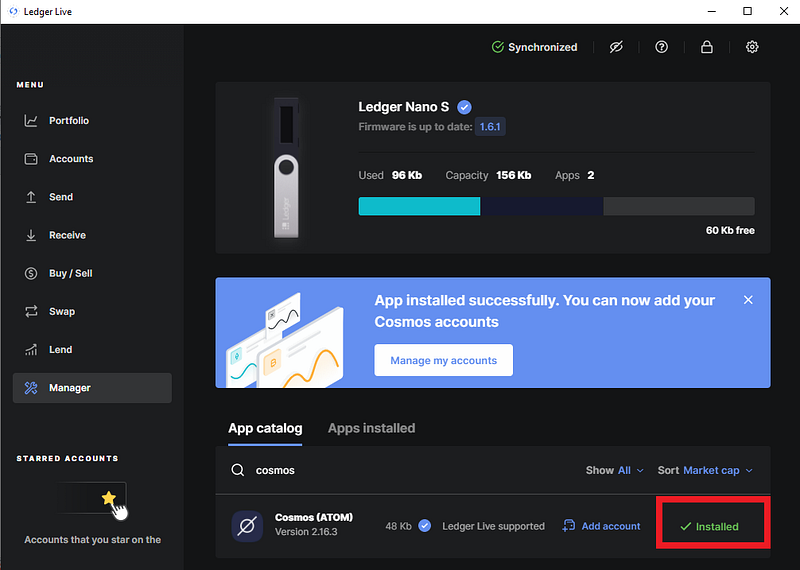
At the moment of writing the latest version of Cosmos application is v2.16.3. If you have an older version make sure to update it to the latest version.
Step 2: Accessing your wallet in Cosmoscan
Once you are done with Step 1, go to https://cosmoscan.io/
- Click on “Connect” on the homepage.
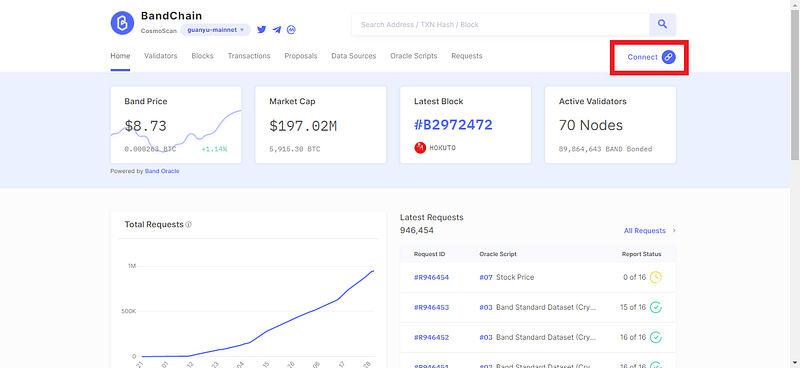
2. Before we go to the next step, select “Cosmos” in your Ledger Nano S by clicking both buttons simultaneously. It should say “Cosmos ready.”


3. Once the ledger is setup, we can continue on Cosmoscan. Select “Ledger — Cosmos” then select the HD derivation path that you want to connect, use default if you have only 1 wallet setup “44/118/0/0” then select “Connect to Ledger.”
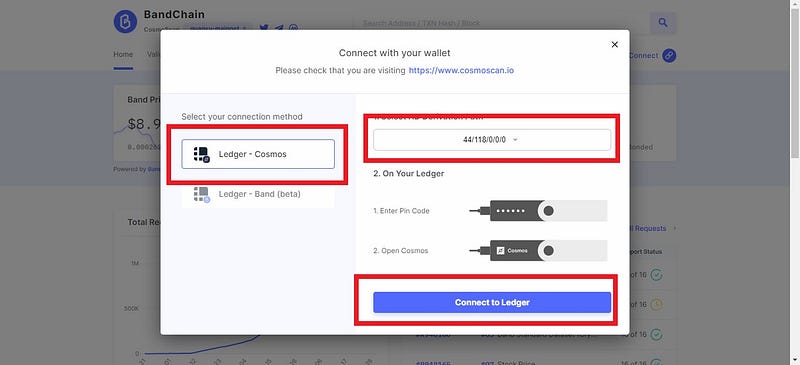
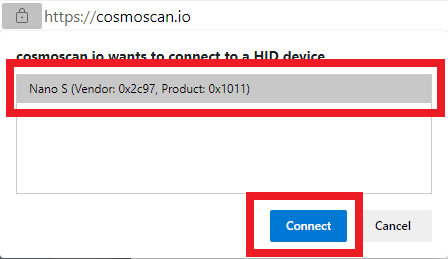
4. A pop-up will come and select “Nano S” then select “Connect.”
5. Once it’s done, select the human icon and it should contain your addresses BAND address and select it.
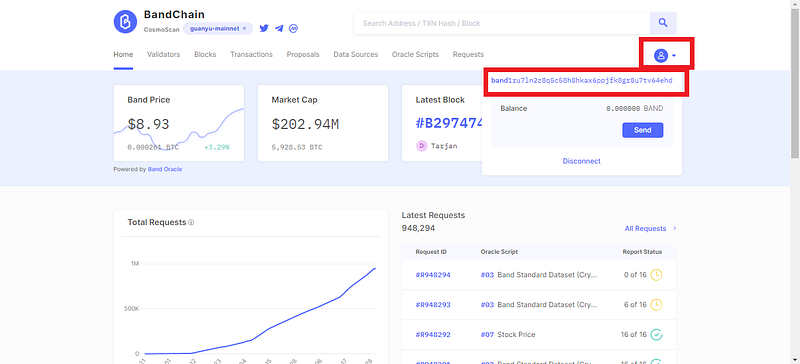
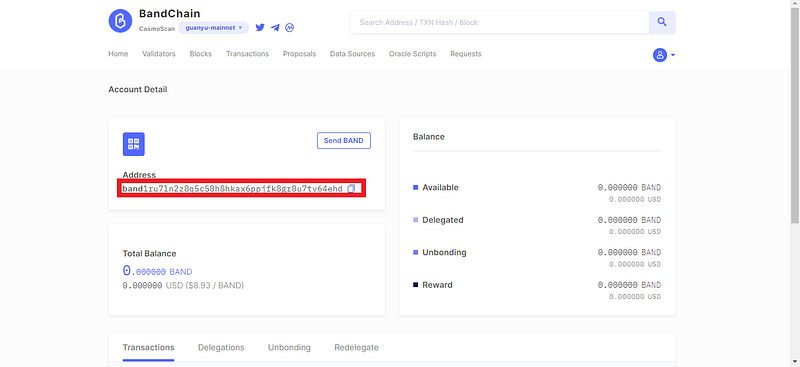
6. It should show your account details and you can copy your BAND address to fund your account so you can start staking.
Step 3: Staking
Once you have your wallet address funded, then you are ready to stake.
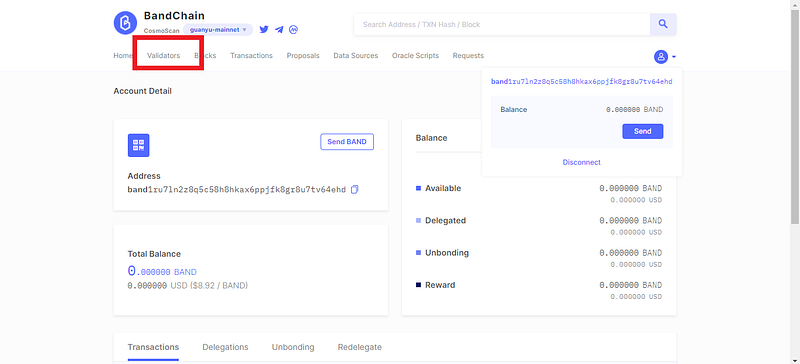
- Click on “Validators” in the Menu. Here you can view in-depth stats like voting power, tokens staked, commission, uptime and performance and you can also access delegation options.
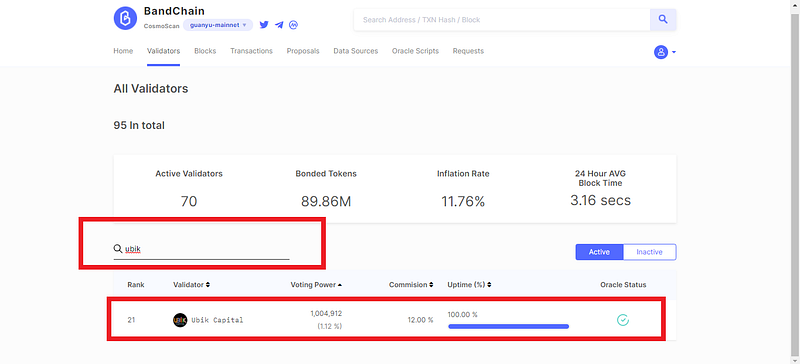
2. Search and select your validator of choice
3. You will see more info on validator details of your selected validator. Click on “Delegate” to start staking.
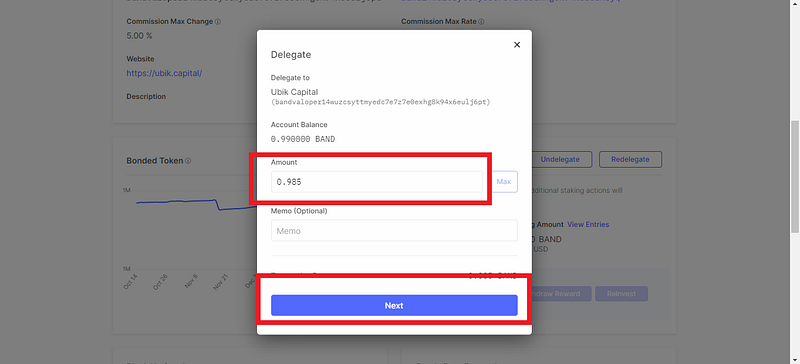
4. Input the amount of BAND you want to stake then click “Next.”
5. Confirm transaction by selecting “Broadcast.”
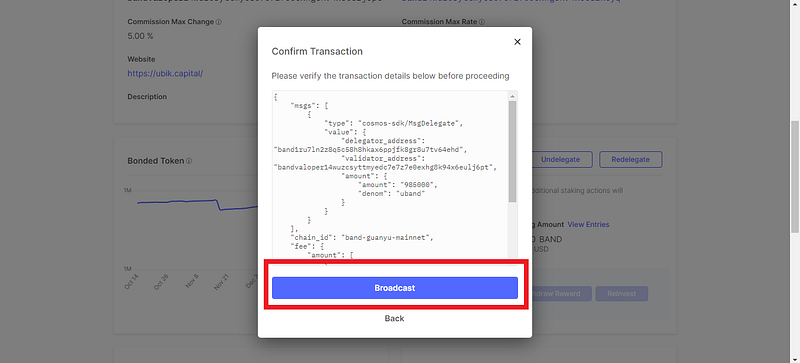
6. Approve your transaction in Ledger
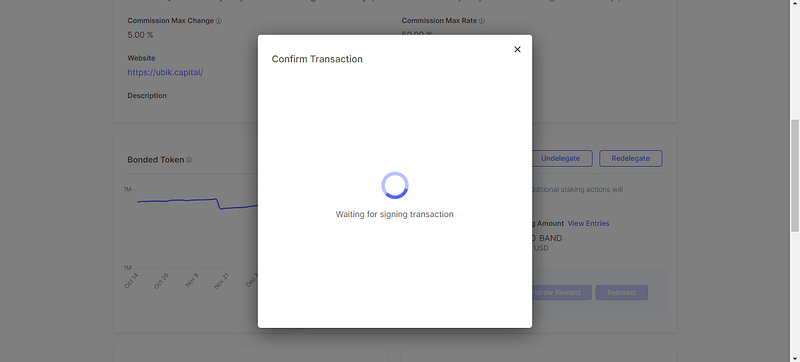


7. Wait for a few seconds to confirm the transaction in the blockchain. Then you’re done. You can view more details on the transaction by selecting “View Details” or you can close it by selecting on the X icon.
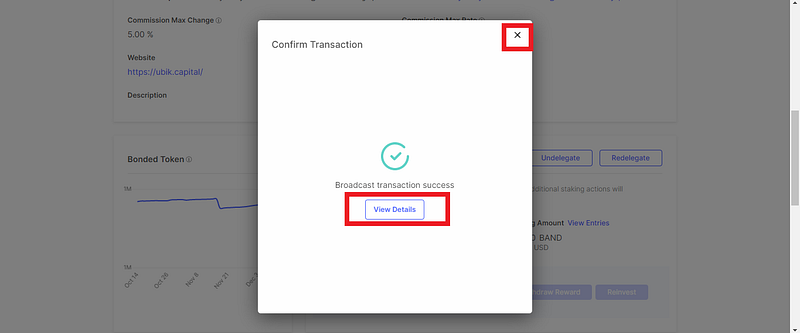
Staking is complete. At the time we are writing this, you can enjoy your BAND rewards with an inflation of 12% per year.
Bonus Info: Staking multiple accounts to different validators is a step towards stake decentralization and further increase the network security.